- December 09, 2025
How to Start an AI Technology Podcast for Beginners in 2026
- June 30, 2026
- in Podcasts
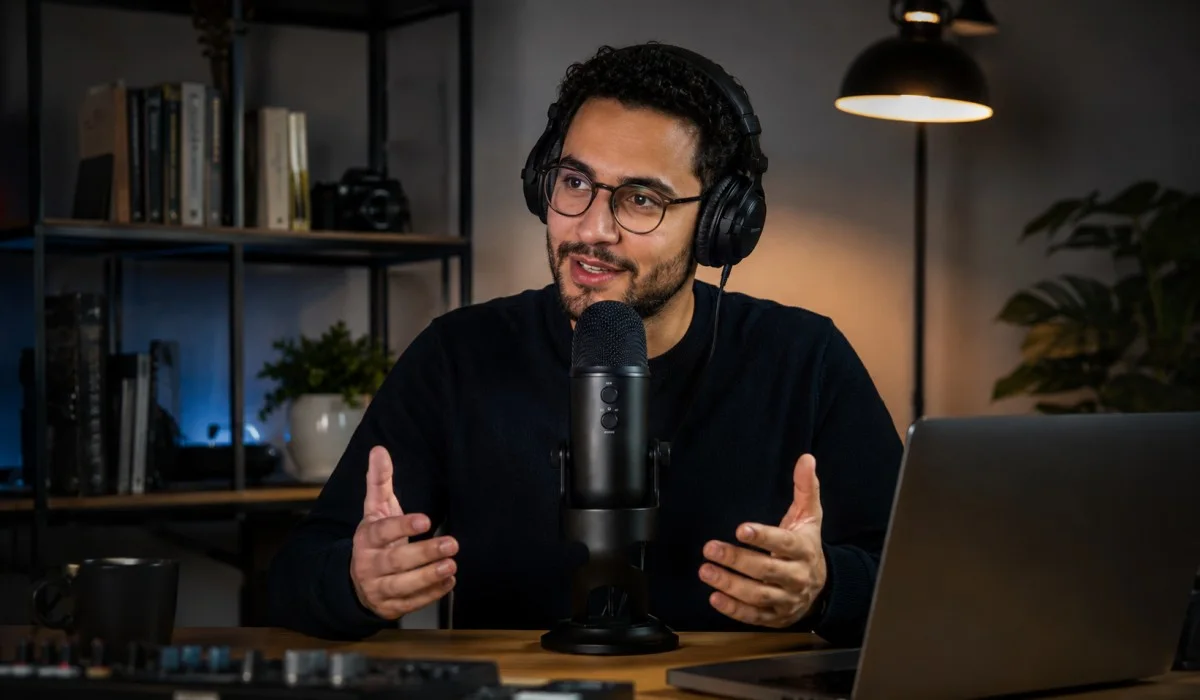
AI technology podcasts for beginners are everywhere now. But if you want to start your own show, you might feel lost. You do not need to be. This guide is for you. We will walk through the gear, the planning, and the publishing step by step. No fancy words. No expensive studios.
Just simple advice that works. You can record your first episode this weekend with a cheap microphone and free software. By next Tuesday, your show can be live on Apple and Spotify. Let us get you set up the right way so you can share your voice with the world.
What You Need to Get Started?
Let us look at the gear. You do not need much. The trick is to buy the right things and skip the rest.
The Microphone
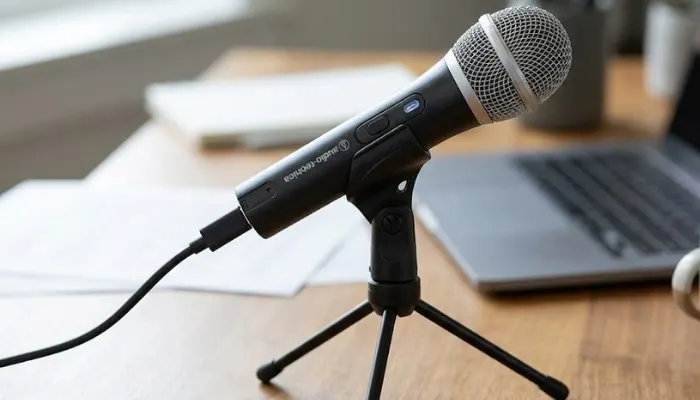
Get a USB microphone. It plugs right into your computer. You do not need a mixer or an audio interface. I recommend the Audio-Technica ATR2100x. It costs about 80 dollars. It sounds great for the price. It also has a USB port and an XLR port. If you ever want a fancier setup later, you can keep using this mic. Another good option is the Samson Q2U. It is about 70 dollars. Both of these mics are dynamic. That means they do not pick up a lot of background noise. This is a big deal if you record in a room that is not perfect.
Read More: Best Motivational Podcasts for Men to Stay Inspired Every Day
The Headphones
You need to hear yourself. This helps you avoid talking too loud or too soft. Get a pair of closed-back headphones. Do not buy open-back headphones. They leak sound. Your microphone will pick up that sound, and you will get an echo. The Sony MDR-7506 is a standard. They cost about 100 dollars. They are built tough and sound clear. If you want something cheaper, look at the OneOdio Over Ear Headphones. They are around 50 dollars.
The Software
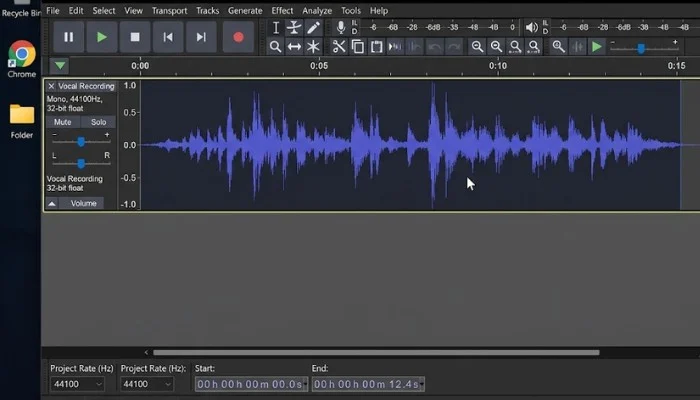
You do not need to pay for recording software. Audacity is free. It works on Mac and Windows. It is simple to use. GarageBand is also free if you have a Mac. Both let you record your voice and edit out mistakes. I will show you how to edit in a minute.
The Room
Pick a quiet room. Closets are great because the clothes soak up sound. If you are in a normal room, put a rug on the floor. If you have hard walls, hang a blanket behind you. This stops the echo. You do not need to buy expensive foam panels. A thick blanket works just fine.
When I started my first podcast, I recorded in my living room. I had a microphone on my desk. I did not use headphones. I thought I could just talk and it would sound good. I was wrong. The first episode had a fan noise in the background. You could hear my chair squeak. It was a mess. I learned my lesson. Now I record in a small room. I turn off the AC. I put my phone on silent. Those little changes make a big difference.
How to Plan Your First Episode?
Do not just hit record and start talking. You will ramble. You need a plan. But you do not need a full script. Scripts sound stiff. You want to sound like yourself.
Choose Your Topic
Pick one thing to talk about. Do not try to cover everything. If your podcast is about AI technology podcasts for beginners, your first episode could be "What is AI?" or "How to use ChatGPT." Keep it narrow. Ask yourself: What does a beginner need to know first? That is your topic.
Pick a Guest (or Go Solo)
For your first episode, I recommend going solo. You do not need the stress of managing a guest. You can focus on your speaking. You can get comfortable with the gear. Once you have three or four episodes done, you can bring on guests. If you do have a guest, make sure they know the topic. Send them a list of questions before you record.
Use a Simple Outline
An outline keeps you on track. Here is a template you can use.
-
Intro (30 seconds): Say your name. Say the name of your show. Tell the listener what you will talk about today.
-
Main Points (10 to 15 minutes): Break this down into 3 parts. For an AI podcast, you could say: 1. What is AI? 2. How does it work? 3. How can you use it today?
-
Outro (30 seconds): Thank the listener. Remind them to subscribe. Tell them what your next episode will be about.
Write these points on a piece of paper and put it next to your microphone. That is all you need.
How to Record and Edit?
Now we get to the actual work. This is the part that scares most people. It is not hard.
Hit Record
Open your software. Audacity is the easiest. Create a new track. Check your microphone input. Make sure the software is listening to your USB mic, not your computer's built-in mic. Do a test recording. Say "Testing 1, 2, 3." Play it back. If it sounds low, turn up the gain. That is the volume knob on your mic or in the software.
When you are ready, hit the red record button. Start with your intro. Then go into your main points. If you make a mistake, do not stop. Just pause. Take a breath. Then say the line again. You will edit out the mistakes later. This keeps the flow going.
Three Simple Editing Steps
Editing can be a trap. People spend hours on it. Do not do that. You are a beginner. Focus on these three things.
-
Remove Long Pauses. Look at your audio wave. You will see flat lines where you were not talking. Those are pauses. Select them and hit delete. This tightens up your episode.
-
Take Out Big Mistakes. If you stumbled over a word or said the wrong thing, cut it out. Highlight that part and delete it. The listener will never know.
-
Add Your Intro Music. Pick a short clip of music that fits your show. It should be around 15 to 20 seconds. You can get royalty-free music from sites like Pixabay or Uppbeat. Drag the music file into a new track. Place it at the very beginning of your episode. Fade the music out as you start talking.
That is it. Do not mess with equalizers or compressors. Do not worry about the noise floor. Just do these three steps and export your file. Export it as an MP3.
How to Publish Your Show?
You have your MP3 file. Now you need to get it onto Apple Podcasts and Spotify. You cannot do this directly. You need a podcast host.
What is a Podcast Host?
A podcast host is a website that stores your audio file. It creates something called an RSS feed. Think of an RSS feed as a link that tells the apps where your podcast lives. When you upload a new episode to your host, it updates the RSS feed. Apple and Spotify check the feed and download the new episode.
Three Simple Hosts to Use
You need a host that is easy to use. Here are three good ones for beginners.
-
Buzzsprout: This is one of the most popular. It is easy to use. You can upload your episode and they will distribute it to all the apps. They have a free plan that keeps your episodes active for 90 days. Their paid plan starts at 12 dollars a month.
-
Captivate: This host is built for business. They offer advanced analytics. You can see who is listening and where. They have a free trial. Their paid plan starts at 17 dollars a month.
-
Podbean: This host has been around for a long time. They are reliable. They have a free plan with limited storage. Their paid plan starts at 9 dollars a month.
Your RSS Feed
When you sign up for a host, they will give you an RSS feed. It will look something like https://feeds.buzzsprout.com/123456.rss. You will need this link to submit your show to Apple and Spotify.
How to Submit to Apple Podcasts?
Apple Podcasts is the biggest platform. You must be on it.
- Go to Apple Podcasts Connect. You will need an Apple ID.
- Click the plus sign. Select "New Show."
- Paste your RSS feed URL.
- Fill in the details. Your show title, description, and artwork.
- Click submit.
It can take up to 24 hours for them to approve your show. Most times it takes a few hours.
How to Submit to Spotify?
Spotify is the second biggest platform. You can get listed quickly.
- Go to Spotify for Podcasters.
- Log in with your Spotify account.
- Click "Get Started."
- Paste your RSS feed URL.
- Fill in the details and submit.
Spotify usually approves shows within a few hours. Once you are on both platforms, anyone can find you. If they search for the best AI podcasts for beginners, your show can pop up.
How to Get Your First Listeners?
Getting listed is step one. Getting people to listen is step two. Here is what works.
Tell Your Network
Email your friends and family. Post on your social media. Tell your existing customers. Ask them to listen to the first episode. More importantly, ask them to leave a review and a rating. Reviews help you rank in the charts.
Be Consistent
Pick a release day and stick to it. If you say you release on Tuesdays, release on Tuesdays. This builds a habit for your listener. They will come to expect your show.
Focus on Quality Content
The best marketing is a good show. If your content is helpful, people will share it. If you run a business, give away free advice. Show people how to solve their problems. For example, if you are teaching about AI technology podcasts for beginners, give them a simple prompt to try. Show them how to save time. That is valuable.
Create a Website or Show Notes Page
Your podcast host gives you a page for your show. But it is better to have your own website. Write a blog post for each episode. This helps Google find you. When people search for the best AI podcasts on spotify, your show notes page could show up. Use the keywords on your page.
Talk about the best AI podcasts for beginners naturally. Mention that your show is one of the ai technology podcasts for beginners free options. This gives you a boost in search engines.
You May Also Read: Best AI Podcasts for Beginners Free, Spotify and YouTube
A Simple Checklist for Your First Episode
Before you record, run through this list.
-
Turn off your AC and fans.
-
Put your phone on silent.
-
Close your browser tabs that make noise.
-
Open your recording software.
-
Check your microphone input.
-
Do a 10-second test recording.
-
Set your outline paper next to you.
-
Take a deep breath.
Now you are ready. Hit the record button and start talking. Talk to one person. Imagine you are on a phone call with a friend. Be yourself. Be helpful. Do not try to sound like a news anchor. Just talk.
FAQs
What equipment is required?
You can begin for less than $100. A decent USB Mic is around 70-80 dollars. You can use the recording software for free. A hosting service offers a free plan or cheap plan of $9 per month. This is all you'll need. Do not use a mixer or studio foam.
How do I find a co-host for my podcast?
No, you can present a show as one person! There are a number of the greatest shows that have just one host. A solo show is more easily set up and maintained. There is no need to work with anyone else. You simply click the record button and start speaking. Once you get comfortable, you can bring on guests.
What will be the length of my first episode?
Keep it short. Try to get 15-20 minutes. This is enough time for you to discuss one topic without losing the listener. Don't attempt to fit in an hour. The first episode should be short and to the point. Make it worth while for the listener to listen and move away. They will return... for more!
How to make my podcast available on Apple and Spotify?
It is essential to have a podcast host. The host provides you with an RSS (Really Simple Syndication) feed. You make a copy of that feed link. After that, you're ready to paste into Apple Podcasts Connect and Spotify for Podcasters. It takes only a few hours for both platforms to approve your show. It's an easy process. No coding or technical skills needed.
What strategies can I implement to reach more people as a new player?
Begin with network. Share your show with friends, family and customers! Encourage them to write a review. Be consistent with your release schedule. Post on the same day of the week. Above all, create high-quality content. Help others and they will tell others about your show.
you may also like


- November 17, 2025
Best Bible Quotes for Motivation

- November 17, 2025
How Do You Motivate Your Team Interview Question: Complete Guide...
- November 06, 2025
Best Motivational Podcasts for Men to Stay Inspired Every Day...

- October 24, 2025
Top Social Entrepreneurship Ideas for Students...
- October 07, 2025